Mockup screenshots
Your iPhone photos and videos,
Backed up privately for $1/month
Keep photos, videos, contacts, and selected files protected — even if your phone is lost, broken, or replaced. Encrypted before upload. Restored with your recovery key.Individual: $1/month for 1 device
Family: $2.99/month for up to 6 devices
Does not replace a full iCloud Backup. Does not back up messages, app-private data, or a full iPhone system image.
We are running an invite-only paid early-access test. Request your invite.
By requesting an invite, you agree to receive updates about the One Dollar Backup and accept our Terms of Service and Privacy Policy.
What is One Dollar Backup
It backs up the iPhone data categories that apps are allowed to access with your permission, including photos, videos, contacts, and selected files.Your backup is encrypted on your device before it is stored. We do not hold the raw key needed to read your data.The goal is simple: make private iPhone backup affordable enough that people actually use it before they lose something important.
Why use one Dollar Backup
Keep your photos and videos protected
Your camera roll is often the most valuable thing on your phone. Back it up privately so it is ready to restore if your phone is lost, broken, or replaced.
Private by design
Your backup is encrypted before it leaves your iPhone. We cannot browse your photos, videos, contacts, or files.
Affordable through smart storage
We use secure cloud storage plus encrypted decentralised redundancy to help keep the service affordable.Your device may store unreadable encrypted fragments for other users, capped at 25% of the amount of data you back up.
Restore with confidence
A backup only matters if you can restore it. One Dollar Backup is designed around clear backup status, restore readiness, and recovery-key based restore.
Simple pricing
$1/month for one iPhone.
$2.99/month for up to six family devices.
No complicated storage tiers: Just peace of mind.
Built for supported iPhone data backup
Backup: photos, videos, contacts, and selected filesDue to iOS limitations, One Dollar Backup does not back up messages, app-private data, or a full iPhone system image
Does this replace iCloud ?
Short answer: Not entirely.Due to iOS limitations One Dollar Backup can only backup some categories of data on your device.
Backed up by One Dollar Backup
Photos, videos, selected files and contacts.
Only protected by iCloud
Messages, emails, notes and other app-private data.
We see the One Dollar Backup as a supplement to iCloud, that allows you to either:
Use a cheaper iCloud planUse iCloud for: Contacts, Messages, Emails and app private dataUse One Dollar Backup for: photos, videos and filesSince photos and videos are often the majority of the data in your iCloud account, you can save every month by using One Dollar Backup and switching to a much cheaper iCloud plan.
Be more confident that all your data is backed upIt's easy to exceed iCloud storage limits, and run the risk of losing data.One Cloud Backup can be a second backup, that makes sure your photos and videos are protected
Sign-up details
Requirements
An iPhone
Home Wi-Fi with a generous data allowance
US Apple account
iOS version supported by the app
Permission to access the data you want to back up
A valid subscription after invite approval
A safe place to store your recovery key
Plans
Individual
$1/month
1 iPhoneFamily
$2.99/month
Up to 6 iPhones
How to sign up
Request an invite
Receive your invite code
Download the app
Choose Individual or Family Plan
Create your recovery key
Start your first backup
How Backup Works
1. Choose what to protect
Give the app permission to backup supported iPhone data: photos, videos, contacts and selected filesYou stay in control of what the app can access
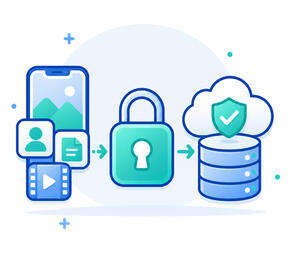
2. Data is encrypted and stored
Your backup is encrypted before upload and is stored using a mixture of cloud storage and decentralised storageThe system may also create encrypted backup fragments for decentralised redundancy. These fragments are unreadable and incompleteYou will be required to store fragments equivalent to 25% of the volume of data you are backing up
3. Confirm data is protected
The app shows exactly what is backed up, when the backup was last checked whether your data is ready to restore
4. Restore when you need it
To restore after losing access to a device simply install the app onto a new iPhone.Sign into the app. Choose recover lost device, and enter your recovery key, and choose the categories of data you'd like to recover.
FAQ
How does One Dollar Backup work?
The app backs up supported iPhone data categories with your permission. Your data is encrypted on your iPhone before it is stored. You can later restore the backed up data using your account and recovery key.What does One Dollar Backup cost?
The Individual plan is $1/month for one iPhone.
The Family plan is $2.99/month for up to six iPhones.How much storage do I get?
The amount you can backup is unlimited, though you will need to store encrypted backup fragments proportional to 25% of the data you have backed up. Because of the way the system works we can only backup internal iPhone storage, no external drives or SD cards.Can One Dollar Backup see my photos, videos, contacts, or files?
No. Backup content is encrypted before it leaves your device. We do not hold the recovery key needed to decrypt it.What happens if I lose my recovery key?
We cannot restore your backup if you lose your recovery key. The recovery key is required because your backup is designed so that only you can decrypt it. We would recommend that you keep a paper copy of the key somewhere safe.Does this replace iCloud Backup?
Not completely. One Dollar Backup is focused on supported data categories such as photos, videos, contacts, and selected files. It does not create a full iPhone system image and does not back up messages or app-private data.Why is it so cheap?
We are using a new patent pending technology that creates reliable backups using encrypted backup fragments stored on participating user devices combined with secure cloud storage. This makes it cheaper for us to provide the service to you than a traditional backup service.What are encrypted backup fragments?
Encrypted fragments are incomplete pieces of heavily encrypted backup data. They cannot be read by the devices that store them. They help provide redundancy while keeping costs low.Will it use my battery?
A little. We will ask your device to check-in occasionally, but will do any substantive work when your phone is charging.Will it use my cellular data?
This is a user choice, by default we only perform work that requires substantive data when you are on wi-fi. However this means your backups are not being updated when you are only on cellular data. If you choose, you can set it to use cellular data for backup.
We will occasionally check-in with devices to confirm they are not lost/broken.
However, you do need to bring your phone onto a wi-fi network at least once every 24 hours.I am going on a long vacation where there will be no wi-fi for more than 2 days
You can engage "vacation mode" which will use a small amount of cellular data to remain in contact with the network, however no new data will be backed up until you are on wi-fi.Note that after three weeks in this mode without extended periods connected to wi-fi your device may be removed from the network, and your backups will be lost.We will contact you if your device is in danger of being removed from the network.I am going on a long vacation where there will be no wi-fi or cellular data for more than 2 days
Unfortunately we can't support devices that aren't able to participate in the distributed fragment network.If this is likely to happen then it is best to off-board your device (on wi-fi) prior the vacation, and re-onboard when you return.Am I storing other people’s photos/videos?
No.
The decentralised fragments that you are storing can be used in combination with encrypted fragments of the files they were made from to recover other peoples lost files.
One way to think of this is to think of the fragments as a tiny piece of a jigsaw puzzle made of an already scrambled picture. Your device may hold one meaningless piece, but it cannot reveal the picture or unscramble it. Only the owner with their recovery key and enough pieces can rebuild their backup.
Support
Contact us at [email protected]
© 2026 One Dollar Backup Ltd. All rights reserved
Privacy Policy
SummaryOne Dollar Backup is designed so that your backup content is encrypted before it leaves your iPhone. We do not hold the raw key needed to read your photos, videos, contacts, or files.We collect the information needed to run the service, including your account details, subscription status, device information, backup metadata, storage usage, diagnostic events, and support messages.We store encrypted backup data in cloud storage. The app may also store encrypted backup fragments on participating users’ devices. These fragments are unreadable, incomplete pieces of encrypted data.We do not sell your personal information. We do not use your backup content for advertising. We do not use your backup content to train AI models.
If you lose your recovery key, we cannot restore your backup content.
Privacy Policy
Last updated: 15 May 2026This Privacy Policy explains how One Dollar Backup Ltd trading as One Dollar Backup (“One Dollar Backup”, “we”, “us”, or “our”) collects, uses, stores, and protects personal information when you use our website, invite list, iPhone app, backup service, and related support services.One Dollar Backup is designed to provide low-cost private encrypted backup for supported iPhone data categories, including photos, videos, contacts, and selected files.Your backup content is encrypted before it leaves your device. We do not hold the raw key needed to decrypt your backup content. If you lose your recovery key, we cannot decrypt or restore your backup content for you.
1. Who we are
The controller responsible for your personal information is:
One Dollar Backup Ltd
UK Company number: 17219911
Registered office: 71-75 Shelton Street, Covent Garden, London, United Kingdom, WC2H 9JQ
Email: [email protected]
If we appoint a data protection contact or representative in the future, we will update this Privacy Policy.
2. What this Privacy Policy covers
This Privacy Policy covers:
• our public website and landing pages;
• invite-list sign-up forms;
• the One Dollar Backup iPhone app;
• backup, restore, subscription, and account services;
• customer support communications;
• testing, diagnostics, and reliability monitoring.
This Privacy Policy does not apply to third-party websites or services that we do not control, including Apple’s App Store, Apple ID, Apple payment systems, or third-party websites linked from our website.
3. Important summary
What we back up
The app is designed to back up supported categories of iPhone data that you choose or permit the app to access, such as:
• photos;
• videos;
• contacts;
• selected files.
The app does not provide a full iPhone system image backup and does not back up messages, app-private data, or data that iOS does not allow third-party apps to access.Your backup content is encrypted
Your backup content is encrypted on your device before it is uploaded or stored. We do not hold the raw decryption key.We cannot recover lost keys
If you lose your recovery key, we cannot decrypt or restore your backup content.We use cloud storage and encrypted fragments
To provide backup and restore, we store encrypted backup data in cloud storage. The app may also store encrypted backup fragments on participating users’ devices as part of a decentralised redundancy system. These fragments are encrypted, incomplete, and unreadable by the device that stores them.We do not sell your personal information
We do not sell your personal information. We do not use your backup content for advertising. We do not use your backup content to train AI models.
4. Personal information we collect
We collect different types of information depending on how you use the service.4.1 Invite-list and website information
If you request an invite or contact us through the website, we may collect:
• email address;
• name, if you provide it;
• country or region;
• plan interest, such as Individual or Family;
• number of devices you may want to back up;
• marketing source, such as referral code or campaign identifier;
• messages or feedback you send us;
• technical information such as IP address, browser type, device type, approximate location, page views, and referral URL.4.2 Account information
When you create an account or use the app, we may collect:
• email address;
• Apple account identifier or Sign in with Apple token information;
• approximate geographic location;
• account ID;
• household or family-plan membership details;
• invite code or referral code;
• account creation date;
• account status;
• support and communication preferences.4.3 Subscription and payment information
Subscriptions are processed through Apple’s App Store and related Apple payment systems. We do not receive your full card number or complete payment credentials from Apple.
We may receive or store:
• subscription product purchased;
• subscription status;
• transaction identifiers;
• original transaction identifiers;
• renewal, expiry, cancellation, refund, billing retry, or grace-period status;
• approximate storefront or country information;
• entitlement information, such as Individual or Family plan and device limits.4.4 Device information
To provide backup and restore, manage entitlements, and prevent abuse, we may collect:
• device identifier generated by the app;
• device name or user-provided device label;
• iOS version;
• app version;
• device model;
• backup status;
• restore status;
• storage usage;
• peer-storage contribution status;
• last-seen timestamps;
• diagnostic events and crash information.4.5 Backup metadata
We need certain metadata to operate the backup service. This may include:
• backup set identifiers;
• device identifiers;
• file or asset type and extension, such as photo, video, contact export, or file;
• encrypted or pseudonymous item identifiers including encrypted block hashes and CRCs;
• backup size;
• block count;
• shard count;
• encrypted block or shard locations;
• upload status;
• restore status;
• integrity verification status;
• timestamps such as backup start, backup completion, restore start, and restore completion.
Where possible, we minimize plaintext metadata. However, some operational metadata is required so we can provide backup, restore, subscription enforcement, quota management, support, fraud prevention, and reliability monitoring.4.6 Backup content
Backup content may include data that you choose or permit the app to back up, such as:
• photos;
• videos;
• contact data;
• selected files;
• associated file or media data required for restore.
Your backup content is encrypted before it leaves your device. We do not hold the raw decryption key needed to read it.
Although encrypted backup content may be treated as personal information because it belongs to your account and may be linked to you, we cannot view its plaintext content.4.7 Decentralized encrypted fragments
The service may create encrypted erasure-coded fragments of backup data. These fragments may be stored:
• in our cloud storage providers;
• on your own device;
• on other participating users’ devices;
• on devices associated with your account or household.
If your device participates in the decentralized redundancy system, it may store encrypted backup fragments for other users. These fragments are designed to be unreadable, incomplete, and useless without the correct reconstruction data and decryption key.
We may collect metadata about these fragments, such as:
• fragment size;
• fragment identifier;
• the fragments encrypted hash or CRC;
• storage location type;
• device availability;
• last-seen timestamp;
• repair status;
• contribution amount;4.8 Support communications
If you contact us for support, we may collect:
• your email address;
• your message;
• account identifiers;
• device and backup status information relevant to your request;
• diagnostic logs you choose to send;
• our response history.
You should not send us your recovery key, passwords, or unencrypted backup content. We will never ask for your recovery key.
5. Information we do not collect or do not useWe do not intentionally collect:
• your raw backup decryption key;
• your full payment card number;
• messages or app-private data that iOS does not allow us to access;
• a full iPhone system image;
• precise location except for during account creation;
• biometric identifiers;
• health data;
• government ID numbers, unless legally required for a specific operational reason.We do not:
• sell your personal information;
• use your backup content for advertising;
• use your backup content to train AI models;
• allow staff to browse your backup content (this is impossible due to encryption);
• provide backup content to other users in readable form;
• intentionally store plaintext recovery keys on our servers.
6. How we use personal information
We use personal information for the following purposes.6.1 To provide the service
We use personal information to:
• create and manage your account;
• authenticate you;
• manage subscriptions and entitlements;
• register devices;
• manage Individual and Family plans;
• create backup sessions;
• store encrypted backup data;
• generate restore manifests;
• enable restore to your device;
• manage storage limits;
• manage decentralized encrypted fragment storage;
• detect missing or corrupted fragments and repair redundancy;
• process account, backup, or device deletion requests.6.2 To maintain security and integrity
We use personal information to:
• prevent unauthorized access;
• detect abuse, fraud, or suspicious device switching;
• enforce device-slot limits;
• enforce storage limits;
• maintain audit logs;
• verify upload and restore integrity;
• investigate service issues;
• protect the service and users.6.3 To communicate with you
We use personal information to:
• send invite emails;
• send service emails;
• send alert emails if your device is offline;
• respond to support requests;
• send security or account notices;
• notify you about material service changes;
• ask for feedback during the early market test.6.4 To improve the service
We may use limited diagnostic and usage information to:
• understand whether users complete backup and restore;
• identify crashes, failures, and performance issues;
• improve onboarding and restore reliability;
• understand storage usage;
• understand whether users accept or disable decentralized encrypted fragment storage;
• prioritize product development.
We do not use your backup content for analytics, advertising, or AI training.6.5 To comply with legal obligations
We may use and retain information where necessary to:
• comply with law;
• respond to lawful requests;
• maintain accounting and tax records;
• process subscription records;
• enforce our terms;
• establish, exercise, or defend legal claims.
7. Legal bases for processing
If UK or EU data protection law applies, we rely on the following legal bases.
| Purpose | Legal Basis |
|---|---|
| Providing backup, restore, account, subscription, and support services | Contract |
| Managing invite requests and responding to enquiries | Legitimate interests or steps before contract |
| Service reliability, diagnostics, fraud prevention, and security | Legitimate interests |
| Required legal, accounting, tax, or regulatory records | Legal obligation |
| Optional marketing communications | Consent or legitimate interests, depending on context |
| Optional cookies or analytics requiring consent | Consent |
Where we rely on legitimate interests, we balance our interests against your rights and expectations, particularly because backup services can involve sensitive personal material.
8. Backup encryption and recovery keys
One Dollar Backup is designed around client-side encryption.
This means:
• backup content is encrypted before it leaves your device;
• encrypted data may be stored in cloud storage and as encrypted fragments on participating devices;
• we do not hold the raw key required to decrypt your backup content;
• restore requires your account credentials and your recovery key or equivalent recovery material;
• password reset does not decrypt your backup;
• if you lose your recovery key, we cannot restore your backup content.
You are responsible for keeping your recovery key safe. You should store it somewhere secure and separate from your iPhone.
9. Decentralized encrypted fragment storage
To help provide low-cost redundancy, the service may use a decentralized encrypted fragment system.9.1 What this means
Your encrypted backup data may be divided into fragments and combined with the encrypted backup data of other participants. Some fragments may be stored in cloud storage. Some may be stored on participating users’ devices.
Your device may also store encrypted fragments for other users.9.2 What other users can see
Other users’ devices do not receive readable files, photos, videos, contacts, or filenames. They receive opaque encrypted fragments.
A fragment is designed to be:
• encrypted;
• incomplete;
• not human-readable;
• not useful without the correct reconstruction information and decryption key.9.3 Your controls
The app should allow you to:
• see whether your device is participating;
• see approximately how much local storage is used for encrypted fragments;
The limit of contributed storage at approximately 25% of the amount of data your device is backing up, subject to app settings and service rules.9.4 Reliability
In our system we use decentralized fragments, however we may rely on cloud storage as the main restore fallback to protect reliability.
10. When we share personal information
We share personal information only where necessary to provide, secure, operate, or legally protect the service.10.1 Service providers
We may use service providers for:
• cloud object storage;
• server hosting;
• managed databases;
• email delivery;
• crash reporting;
• analytics, if enabled;
• customer support tooling;
• logging and monitoring;
• accounting and business administration.
Current or expected providers may include:
| Provider | Purpose |
|---|---|
| Apple | App Store distribution, Sign in with Apple, subscription processing |
| Backblaze B2 | Cloud object storage for encrypted backup data and fragments |
| DigitalOcean or equivalent | API hosting, worker hosting, managed database, networking |
| Email service provider | Invite emails, service emails, support emails |
| Monitoring/crash provider | Reliability, diagnostics, crash reporting |
| Analytics provider | Web and app usage measurement |
Please note this list will evolve over time, but we will update the policy to reflect these changes.10.2 Apple
If you subscribe through the App Store, Apple processes payment and subscription information under its own terms and privacy policy. We receive subscription and transaction information necessary to provide your entitlement.10.3 Other users’ devices
If the decentralized encrypted fragment system is enabled, encrypted fragments of backup data may be stored on other participating users’ devices. These devices receive opaque encrypted fragments, not readable backup content.10.4 Legal and safety reasons
We may disclose information if we believe it is reasonably necessary to:
• comply with law;
• respond to lawful requests;
• enforce our terms;
• protect our rights;
• protect users;
• investigate fraud, abuse, or security incidents.
Because we do not hold raw backup decryption keys, we generally cannot provide readable backup content that we cannot decrypt.10.5 Business transfers
If we are involved in a merger, acquisition, financing, reorganization, sale of assets, or similar transaction, personal information may be transferred as part of that transaction. We will take reasonable steps to ensure that the recipient continues to protect personal information in accordance with this Privacy Policy.
11. International transfers
We are based in the United Kingdom, but the service is initially aimed at users in the United States. We and our service providers may process or store personal information in the United Kingdom, United States, European Economic Area, or other countries.
Where required, we use appropriate safeguards for international transfers, such as contractual protections or other legally recognized mechanisms.
12. How long we keep information
We keep personal information only for as long as necessary for the purposes described in this Privacy Policy, unless a longer period is required or permitted by law.
Indicative retention periods are:
| Information type | Typical retention |
|---|---|
| Invite-list email | Until you unsubscribe, request deletion, or the invite program ends |
| Account information | While your account is active and for a limited period afterwards |
| Subscription records | As required for accounting, tax, dispute, and App Store records |
| Backup metadata | While backup exists and for a limited period after deletion for operational safety |
| Encrypted backup content | Until deleted by you, expired under retention rules, or removed under account deletion |
| Peer fragments | Until no longer needed, deleted by repair policy, or removed through contribution controls |
| Support messages | As long as needed to handle support and maintain service records |
| Security/audit logs | Limited period based on security needs and legal requirements |
| Crash/diagnostic logs | Limited period based on troubleshooting and reliability needs |
When you delete your account or backup, we will delete or de-identify associated information according to our deletion process, subject to reasonable technical delay, backups, fraud prevention, dispute handling, legal obligations, and security requirements.
13. Your choices and controls
You may be able to control your information in the following ways.13.1 App permissions
You can control iOS permissions such as access to photos, contacts, and files through your device settings. If you remove permission, some backup features may stop working.13.2 Backup selection
You can choose which supported categories or files to back up, depending on app functionality.13.3 Recovery key
You control your recovery key. You should store it securely. We cannot retrieve it for you.13.4 Peer-storage contribution
Where available, you can view contributed encrypted fragment storage through the app.13.5 Marketing emails
You can unsubscribe from marketing emails using the unsubscribe link or by contacting us.13.6 Account deletion
You can request account deletion through the app or by contacting us at [email protected]
14. Your legal rights
Depending on where you live, you may have rights over your personal information.
These may include the right to:
• access your personal information;
• correct inaccurate information;
• delete information;
• restrict or object to processing;
• receive a portable copy of information;
• withdraw consent where processing is based on consent;
• complain to a data protection authority.
To exercise your rights, contact us at [email protected].
We may need to verify your identity before responding. We may not be able to provide readable backup content if we do not hold the decryption key.14.1 UK users
If UK data protection law applies, you may contact the UK Information Commissioner’s Office. We encourage you to contact us first so we can try to resolve your concern.14.2 California and US state privacy rights
If a US state privacy law applies to us and to your personal information, you may have additional rights, such as the right to know, access, delete, correct, or opt out of certain processing.
We do not sell personal information. We do not share personal information for cross-context behavioral advertising as part this product offering. We do not use backup content for targeted advertising.
If we later add advertising, tracking, data sharing for targeted advertising, or other processing covered by state privacy laws, we will update this Privacy Policy and provide required choices.
15. Children
The service is not intended for children under 13, and we do not knowingly collect personal information from children under 13.
If you believe a child has provided us with personal information, contact us at [email protected] and we will take appropriate steps.
For Family plans, the account holder is responsible for ensuring that household members use the service appropriately and that any required parental or guardian permissions are obtained.
16. Security
We use technical and organizational measures designed to protect personal information, including:
• client-side encryption for backup content;
• encrypted transmission;
• private cloud storage buckets;
• access controls;
• audit logging;
• least-privilege access where practical;
• monitoring and diagnostics;
• limited employee or contractor access;
• recovery-key design that prevents us from decrypting user backup content.
No system is perfectly secure. You are responsible for keeping your account credentials and recovery key safe.
17. Cookies and website analyticsOur website may use cookies or similar technologies to:
• operate the website;
• remember preferences;
• understand traffic sources;
• measure invite-page performance;
• detect abuse or spam.
Where required, we will ask for consent before using optional analytics or marketing cookies.
You can control cookies through your browser settings. Blocking some cookies may affect website functionality.
18. App analytics and diagnostics
We may collect limited app analytics and diagnostics to understand service reliability, including:
• app launches;
• backup started/completed/failed events;
• restore started/completed/failed events;
• fragment storage and retrieval storage/failure events;
• subscription entitlement status;
• crash reports;
• performance information;
• storage usage and quota events;
• peer-storage contribution and availability events.
We use this information to operate and improve the service. We do not use backup content for analytics.
19. Do Not Track and similar signals
Some browsers or devices offer “Do Not Track” or similar signals. There is no single industry standard for how these signals should be interpreted. Where legally required, we will honour applicable opt-out preference signals for relevant processing.
Contact us
For privacy questions, rights requests, account deletion, or support, contact:
One Dollar Backup Ltd.
Email: [email protected]
Address: 71-75 Shelton Street, Covent Garden, London, United Kingdom, WC2H 9JQ
Please do not send us your recovery key. We will never ask for it.
© 2026 One Dollar Backup Ltd. All rights reserved
Terms of service
Last updated: 15 May 2026These Terms of Service (“Terms”) govern your access to and use of the One Dollar Backup website, invite list, iPhone app, backup service, restore service, subscription services, and related support services.The service is operated by One Dollar Backup Ltd trading as One Dollar Backup (“One Dollar Backup”, the "service", “we”, “us”, or “our”).By accessing or using One Dollar Backup, requesting an invite, creating an account, subscribing, backing up data, restoring data, or otherwise using the service, you agree to these Terms.If you do not agree to these Terms, do not use the service.
1. Who we are
One Dollar Backup Ltd
UK Company number: 17219911
Registered office: 71-75 Shelton Street, Covent Garden, London, United Kingdom, WC2H 9JQ
Email: [email protected]
One Dollar Backup is operated by a UK company.
2. What the service does
One Dollar Backup is an iPhone backup service for supported data categories that iOS allows third-party apps to access with user permission.The service is designed to back up supported categories such as:
• photos;
• videos;
• contacts;
• selected files;
• other supported data categories we may add in the future.The service uses client-side encryption. Backup content is encrypted before it leaves your device. We do not hold the raw decryption key required to read your backup content.The service may use a combination of cloud storage and decentralized encrypted fragment storage. Your device must contribute storage equal to approximately 25% of the amount of supported data being backed up by that device. This contribution is required for the service to operate.
3. What the service does not do
One Dollar Backup does not provide a full iPhone system backup.
Unless we expressly state otherwise, the service does not back up:
• iMessages or SMS;
• WhatsApp, Signal, or other app-private data;
• full iPhone system images;
• app settings from other apps;
• operating system files;
• data that iOS does not permit third-party apps to access;
• data for which you do not grant permission;
• data that is inaccessible because of device, network, operating system, storage, or permission limitations.
You are responsible for understanding what the app is and is not backing up.
4. Early access and market-test status
One Dollar Backup may initially be offered as an early access, invite-only, beta, preview, test, or market-test service.
During this period:
• features may change;
• performance may vary;
• bugs may exist;
• backup and restore behavior may be improved over time;
• availability may be limited;
• access may be restricted to invited users;
• we may limit enrolment to specific countries, regions, devices, or account types;
• we may suspend or discontinue the early access program.
You should not rely on One Dollar Backup as your only copy of important data during the early access period. You should maintain other backups of important data.
5. Eligibility
To use the service, you must:
• be at least 13 years old;
• have legal capacity to enter into these Terms;
• have a compatible iPhone;
• have an Apple account capable of downloading the app and subscribing through the App Store;
• be located in a region where we offer the service;
• comply with these Terms and applicable law.
If you use the Family plan or invite household members, you are responsible for ensuring that invited users are eligible to use the service.
6. Accounts and authentication
You may need to create an account using Sign in with Apple, email login, or another supported login method.
You are responsible for:
• keeping your account credentials secure;
• controlling access to your devices;
• ensuring that your account information is accurate;
• notifying us promptly of unauthorized access;
• complying with Apple’s App Store rules and applicable third-party terms.
We are not responsible for loss caused by your failure to secure your account, device, email account, Apple account, recovery key, or authentication method.
7. Recovery key and zero-access encryption
One Dollar Backup is designed so that we cannot read your backup content.
Your backup content is encrypted before it leaves your device. You must keep your recovery key, recovery phrase, or equivalent recovery material safe.
You understand and agree that:
• we do not hold the raw key required to decrypt your backup content;
• we cannot view your backed-up photos, videos, contacts, or files;
• we cannot recover your backup content if you lose your recovery key;
• a password reset or account recovery process may restore account access but will not decrypt backup content without the recovery key;
• anyone with access to your account and recovery key may be able to restore your backup;
• you are solely responsible for storing your recovery key securely.
We will never ask you to send us your recovery key. You should not send your recovery key to us or to anyone else.
8. Decentralized encrypted fragment storage
One Dollar Backup uses, or may use, decentralized encrypted fragment storage as part of the backup and restore system.8.1 How it works
When you back up supported data, the app may divide encrypted backup data into fragments or shards. These encrypted fragments may be stored:
• in cloud storage;
• on your own device;
• on devices associated with your account or Family plan;
• on other participating users’ devices.
Your device may also store encrypted fragments for other users.8.2 Required contribution
As a condition of using the service, your device must contribute local storage equal to approximately 25% of the amount of supported data being backed up by that device.
For example, if your device backs up 400GB of supported data, the app may require approximately 100GB of local device storage for encrypted fragments.
This contribution is required. You cannot reduce, disable, or opt out of the required contribution while continuing to use the backup service.
If your device cannot provide the required contribution, the app may pause backup, prevent new backup activity, prevent restore-readiness status, or otherwise stop functioning until the required contribution is available.8.3 Nature of contributed fragments
Encrypted fragments stored on your device for other users are designed to be:
• encrypted;
• incomplete;
• unreadable by your device;
• unusable without the relevant reconstruction information and decryption keys;
• managed by the app.
You do not obtain any ownership rights in other users’ data by storing encrypted fragments.8.4 Your own data on other devices
Your encrypted backup fragments may be stored on other participating devices. Those devices do not receive readable versions of your backup content.
Other users cannot read your backup content merely because their device stores encrypted fragments.8.5 Storage impact
The required contribution uses local storage on your device. You are responsible for ensuring that your device has sufficient available storage.
If your device runs low on storage, backup functionality may pause or fail.8.6 No separate compensation
You will not receive payment, credits, rewards, tokens, discounts, or compensation for storing encrypted fragments unless we expressly offer such a program in separate written terms.
9. Storage entitlement and device sizeOne Dollar Backup plans are sold by active device count, not by the advertised capacity of an iPhone or by a fixed user-facing backup-size tier.We do not currently impose a fixed backup limit based on the size or storage capacity of your device. Subject to these Terms, technical requirements, app permissions, subscription status, contribution requirements, and acceptable use rules, the service is intended to back up supported data from an eligible active device.However, you understand that:
• only supported data categories can be backed up;
• backup depends on device permissions, network availability, storage availability, app behaviour, iOS limitations, and service availability;
• decentralised contribution requirements apply based on the amount of data being backed up;
• abuse, misuse, automated generation of data, or use outside normal personal or household backup may result in restriction or termination;
• we may introduce reasonable technical, security, operational, or abuse-prevention limits if needed to protect users or the service.If we materially change the storage entitlement for paid users, we will provide notice where required and apply changes in accordance with applicable law and App Store subscription rules.
10. Subscriptions and payment
The service is offered through paid monthly subscriptions processed through Apple’s App Store.
Available plans may include:
| Plan | Price | Device entitlement |
|---|---|---|
| Individual | $1/month | 1 active device |
| Family | $2.99/month | Up to 6 active devices |
Prices, availability, plans, and features may change. The current price shown in the App Store at the time of purchase controls your subscription price.Subscriptions renew automatically unless cancelled through your Apple account before the renewal date.
Apple processes payments, cancellations, refunds, billing issues, taxes, and payment method details according to Apple’s terms and policies.We do not receive your full payment card details.
11. Individual plan
The Individual plan allows backup for one active eligible device.
If you replace your device, you may transfer the active device slot subject to app rules, technical limits, and abuse-prevention controls.
We may limit frequent device switching, automated device cycling, or other behaviour designed to avoid plan restrictions.
12. Family plan
The Family plan allows backup for up to six active eligible devices under one household or family account.The Family plan is an app-managed entitlement unless we expressly state that Apple Family Sharing is enabled for a specific subscription product.Family plan rules:
• one account holder manages the plan;
• up to six active devices may be attached;
• each device must meet the service requirements;
• each device must satisfy the required 25% contribution model;
• each user or device may have separate backup content and recovery requirements;
• the account holder is responsible for invited users’ compliance with these Terms;
• removing a member or device may affect backup and restore access;
• downgrading from Family to Individual may require choosing one device to remain active.Family members should not share recovery keys unless they understand the consequences. Anyone with account access and the relevant recovery key may be able to restore associated backup content.
13. Backup and restore13.1 Backup
The app will attempt to back up supported data categories that you select or permit the app to access.Backup may fail, pause, or be incomplete because of:
• lack of permission;
• lack of network access;
• lack of local device storage;
• failure to meet the 25% contribution requirement;
• device battery, power, or background-execution limits;
• iOS restrictions;
• cloud storage issues;
• app bugs;
• account or subscription issues;
• user action;
• service outages;
• unsupported data formats or categories.
You are responsible for checking backup status and restore readiness in the app.13.2 Restore
Restore requires:
• an active or eligible account;
• access to the relevant backup metadata;
• the required recovery key or recovery material;
• compatible app and device environment;
• available backup data or sufficient reconstructable fragments.
We do not guarantee that every attempted restore will succeed in every circumstance.
You should test restore functionality before relying on the service for important data.13.3 Restore readiness
Any restore-readiness indicator is based on available system information at the time it is shown. It is not an absolute guarantee that restore will always succeed.
14. Your responsibilities
You agree to:
• use the service only for lawful personal or household backup purposes;
• provide accurate account information;
• keep your account credentials secure;
• keep your recovery key secure;
• maintain sufficient local device storage for the required contribution;
• review backup and restore status;
• maintain other backups of important data, especially during early access;
• comply with applicable laws;
• comply with Apple’s terms and policies;
• avoid interfering with the service or other users.You must not:
• use the service for business, enterprise, resale, or data-hoarding purposes unless expressly authorised;
• use the service to store illegal content;
• upload, back up, or distribute content that infringes others’ rights;
• attempt to read, extract, modify, or misuse encrypted fragments belonging to other users;
• reverse engineer the service except where legally permitted;
• bypass subscription, device, or contribution requirements;
• use automated tools to create artificial backup data or inflate storage usage;
• attack, overload, scan, scrape, or interfere with the service;
• use the service to transmit malware or harmful code;
• sell, rent, or share account access outside the permitted plan rules.
15. Acceptable use and abuse prevention
One Dollar Backup is designed for ordinary personal and household iPhone backup.We may restrict, suspend, or terminate accounts, devices, backups, or restore access if we reasonably believe that your use:
• is unlawful;
• is abusive;
• threatens service reliability;
• creates unusual or excessive operational burden;
• attempts to exploit the subscription model;
• attempts to avoid the required 25% contribution;
• involves automated or artificial data generation;
• harms other users;
• violates these Terms;
• creates legal, security, financial, or technical risk.We may also implement technical controls to protect the service, including rate limits, device-switching limits, invite limits, repair limits, upload controls, and fraud-prevention controls.
16. Data ownership and license
You retain ownership of your backup content.By using the service, you grant us the limited rights necessary to operate the service, including to:
• receive encrypted backup data;
• store encrypted backup data;
• divide encrypted data into fragments;
• distribute encrypted fragments across storage locations;
• retrieve encrypted data or fragments for restore;
• process backup metadata;
• perform integrity checks;
• delete data when required;
• maintain and repair backup redundancy.This license is limited to operating, securing, supporting, and improving the service.We do not claim ownership of your backup content.
17. Privacy
Our Privacy Policy explains how we collect, use, store, and protect personal information.By using the service, you acknowledge that we process personal information as described in the Privacy Policy.Because the service involves encrypted backup of personal data and decentralized encrypted fragment storage, you should read the Privacy Policy carefully.
18. Deletion and account closure
You may request deletion of your account or backup data through the app or by contacting support.Deletion may involve:
• deleting account records;
• deleting backup metadata;
• deleting encrypted backup data from cloud storage;
• marking encrypted fragments for removal from participating devices;
• removing device entitlements;
• retaining limited records required for legal, tax, accounting, security, or dispute purposes.Deletion from decentralized devices may not be instantaneous. The system may remove, expire, overwrite, or replace encrypted fragments according to technical and repair processes.Because we do not hold your raw decryption key, deletion of your key or loss of your key may make backup content unrecoverable even before all encrypted fragments are physically deleted.
19. Suspension and termination
We may suspend or terminate your access if:
• you breach these Terms;
• your subscription expires, is cancelled, refunded, or cannot be verified;
• your use creates legal, security, technical, financial, or operational risk;
• you attempt to bypass service rules;
• we discontinue the service or early access program;
• required by law, Apple, or a service provider.If your subscription ends, we may stop new backups immediately or at the end of the paid period. We may provide a limited restore grace period, but we are not required to provide indefinite storage or restore access after subscription expiry unless required by law.
20. Service changes
We may change, improve, suspend, or discontinue features at any time.This may include changes to:
• supported backup categories;
• restore functionality;
• encryption implementation;
• storage architecture;
• decentralized fragment handling;
• contribution requirements;
• pricing;
• subscription plans;
• supported regions;
• app compatibility;
• invite availability.If a change materially affects paid users, we will provide notice where required.
21. Third-party services
The service depends on third-party services, including Apple, cloud storage providers, hosting providers, email providers, and other infrastructure providers.We are not responsible for third-party services that we do not control.Your use of Apple’s App Store, Apple ID, Sign in with Apple, subscriptions, payment processing, device operating system, and related services is subject to Apple’s own terms and policies.
22. Disclaimers
The service is provided on an “as is” and “as available” basis.To the maximum extent permitted by law, we disclaim all warranties, representations, and conditions, whether express, implied, statutory, or otherwise, including warranties of merchantability, fitness for a particular purpose, non-infringement, availability, reliability, security, and error-free operation.We do not guarantee that:
• every item will be backed up;
• every backup will complete;
• every restore will succeed;
• the service will be uninterrupted;
• the service will be error-free;
• decentralized fragments will always be available;
• cloud providers will always be available;
• backup status indicators will always be perfectly accurate;
• the service will meet your specific needs.Nothing in these Terms limits rights that cannot be limited under applicable law.
23. Limitation of liability
To the maximum extent permitted by law, One Dollar Backup and its officers, directors, employees, contractors, agents, affiliates, and suppliers will not be liable for:
• loss of data;
• failed backup;
• failed restore;
• lost recovery keys;
• lost profits;
• lost revenue;
• business interruption;
• loss of goodwill;
• indirect, incidental, special, consequential, exemplary, or punitive damages;
• damages caused by third-party services;
• damages caused by unauthorized access due to your failure to secure your account, device, or recovery key.To the maximum extent permitted by law, our total liability for all claims relating to the service will not exceed the greater of:
• the amount you paid us through the App Store for the service during the three months before the event giving rise to the claim; or
• USD $10.Some jurisdictions do not allow certain limitations of liability. In those jurisdictions, the limitations apply only to the maximum extent permitted by law.
24. Indemnity
To the maximum extent permitted by law, you agree to indemnify and hold harmless One Dollar Backup and its officers, directors, employees, contractors, agents, affiliates, and suppliers from and against claims, liabilities, damages, losses, and expenses arising from:
• your use of the service;
• your backup content;
• your breach of these Terms;
• your violation of law;
• your violation of third-party rights;
• your misuse of the service;
• your failure to secure your account, device, or recovery key.
25. Consumer rights
Nothing in these Terms excludes or limits any consumer rights that cannot be excluded or limited under applicable law.
If you are a consumer, you may have legal rights in your country or state that apply in addition to these Terms.
26. Changes to these Terms
We may update these Terms from time to time.
If we make material changes, we will take reasonable steps to notify you, such as through the app, by email, or through our website.
Your continued use of the service after updated Terms become effective means you accept the updated Terms.
If you do not accept the updated Terms, you must stop using the service and cancel your subscription through Apple.
27. Governing law and disputes
These Terms are governed by the laws of England and Wales, unless applicable consumer protection law requires otherwise.The courts of England and Wales will have jurisdiction, except where applicable law gives you the right to bring claims in another jurisdiction.Before bringing a formal claim, you agree to contact us first at [email protected] so we can try to resolve the issue informally.
28. App Store additional terms
If you download the app from Apple’s App Store, the following additional terms apply:
• these Terms are between you and One Dollar Backup, not Apple;
• Apple is not responsible for the app or its content;
• Apple has no obligation to provide maintenance or support for the app;
• Apple is a third-party beneficiary of these Terms as they relate to the app;
• your use of the app must comply with Apple’s applicable App Store terms and policies.
29. Contact
Questions about these Terms should be sent to:
One Dollar Backup Ltd
Email: [email protected]
Address: 71-75 Shelton Street, Covent Garden, London, United Kingdom, WC2H 9JQ
30. No support
We are under no obligation to provide support for the service. In instances where we may offer support, the support will be subject to published policies.
Please do not send us your recovery key. We will never ask for it.
© 2026 One Dollar Backup Ltd. All rights reserved
Demo
Demo video placeholder
By requesting an invite, you agree to receive updates about the One Dollar Backup and accept our Terms of Service and Privacy Policy.
© 2026 One Dollar Backup Ltd. All rights reserved
How it works
Technical video placeholder
By requesting an invite, you agree to receive updates about the One Dollar Backup and accept our Terms of Service and Privacy Policy.
© 2026 One Dollar Backup Ltd. All rights reserved
Who we are
We are a UK based company, One Dollar Backup Ltd founded in 2026.We are committed to the goal of making backups cheap enough to become universal, so that nobody has to experience the anguish of data loss.We are starting with iOS, but hope to expand to cover all device classes.

Max Smith
Founder
Max has spent his 25 year career working in various technology roles for Goldman Sachs and JP Morgan Chase.He developed the patent-pending technology that powers One Dollar Backup.
One Dollar Backup is operated by One Dollar Backup Ltd, a UK company.
Registered company number: 17219911.
Registered office: 71-75 Shelton Street, Covent Garden, London, WC2H 9JQ, United Kingdom.© 2026 One Dollar Backup Ltd. All rights reserved